Is it free? What's the difference between Free and Pro?
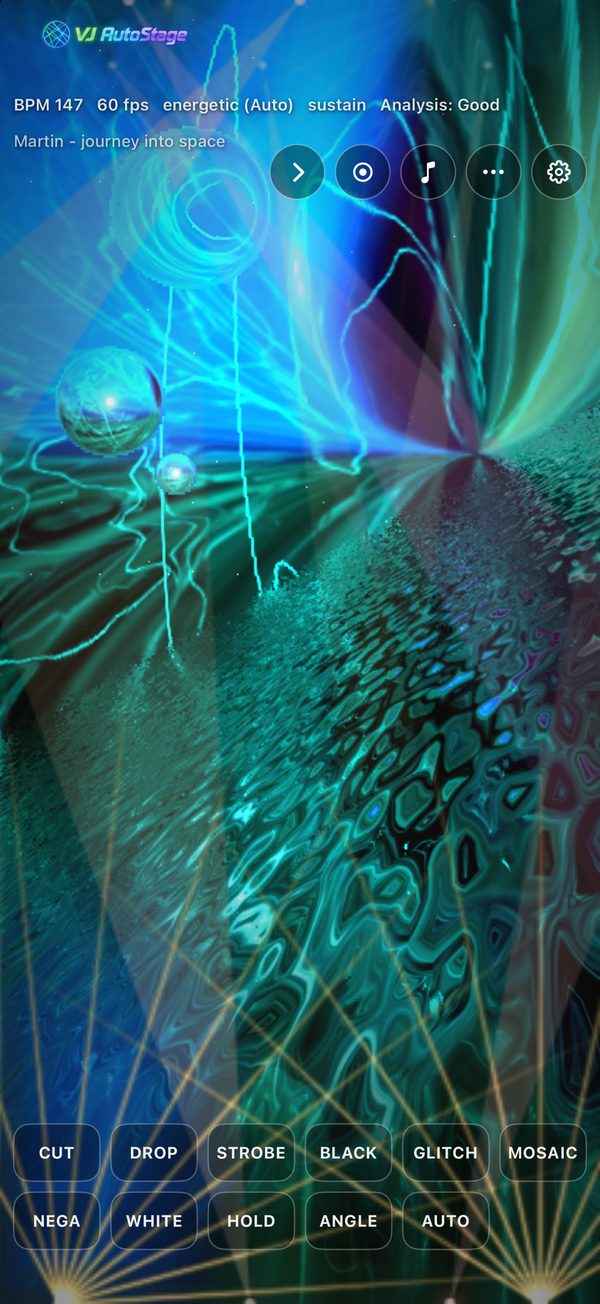
The Free edition includes every feature for free, with a small watermark on the visuals. Buy the one-time Pro edition to remove the watermark — the features are identical. On Windows, both are on the Microsoft Store. The Mac, iPhone and iPad version (App Store) is a single free app; the one-time in-app “Pro Upgrade” removes the watermark.
Is installation difficult?
No. Just press “Get” on the App Store (Mac, iPhone, iPad) or the Microsoft Store (Windows) and it installs automatically. No unzipping and no extra software like ffmpeg or Python.
Can I use all features in the Free edition?
Yes. The Free and Pro editions have exactly the same features. The only difference is that the Free edition shows a small watermark, which the Pro edition removes.
Do I need an internet connection?
Only to install from the Microsoft Store or the App Store — and on a Mac, iPhone or iPad, to buy or restore the in-app Pro Upgrade. The app itself runs offline, and your audio never leaves your device (playing Apple Music songs on an iPhone or iPad uses Apple Music’s connection).
What audio does it react to?
On a computer: system audio (whatever is playing) or mic / line-in. On an iPhone or iPad, choose from five inputs: Music Files, Line In, Microphone, Other Apps and Apple Music. Just make sure sound is actually playing on the selected source.
Can I try it without my own music?
The iPhone and iPad version comes with two songs by Fizzy (ARCAIM MUSIX) — Hello World and Energy of Lagrange Point — ready to play with the Music Files input. You may use them to try the app, in recordings, and in videos you post (they may not be redistributed or sold on their own). On a computer, it reacts to whatever is playing, such as your own music or a video site.
Can I use it at events and live shows?
Absolutely — that's exactly what it's built for. Output full-screen to a display or projector and run the show.
Can I control it by hand, too?
Yes. The automatic show keeps running, and you can step in anytime with single-key hotkeys —
Space to cut,
D for a drop,
B for a blackout,
S for strobe,
C to show a title, and more. Hold-to-play effects return to normal the moment you let go. See the
Hotkeys section and the
full hotkey guide.
Where are recordings saved? Can I post them?
They're saved to your “Videos \ VJ AutoStage” folder on Windows (“Movies / VJ AutoStage” on a Mac) as a standard MP4 (H.264 + AAC), with the resolution in the filename. Seeking and duration work in any player, so you can post it or use it in a stream archive as-is. In the Free edition the watermark is burned into recordings too; the Pro edition records without it. On an iPhone or iPad, recordings are saved to Photos (or, if access to Photos isn’t allowed, to the VJ AutoStage folder in the Files app).
Which OS is supported?
Windows 10 / 11 (64-bit), macOS 13 or later (Apple silicon / Intel), iOS 17 or later (iPhone) and iPadOS 17 or later (iPad). A WebGL-capable GPU is recommended for smooth visuals.
Can I use it on a Mac?
Yes. The Mac version is available on the Mac App Store (macOS 13 or later, Apple silicon and Intel). It's free with every feature, and the in-app Pro upgrade removes the watermark. Purchases are not shared between the Windows and Mac versions.
Can I use it on an iPhone or iPad?
Yes. The iPhone and iPad version is on the App Store (iOS 17 or later, iPadOS 17 or later). It is the same app as the Mac version: free with every feature, and the in-app Pro upgrade removes the watermark. If you bought Pro on a Mac, you can use it on your iPhone or iPad with the same Apple Account via “Restore Purchase”. You can show the visuals on a TV or projector via AirPlay or HDMI.
Who makes VJ AutoStage?
VJ AutoStage is an automatic VJ app developed and published by ARCAIM Musix, the music division of ARCAIM, Inc. (Yokohama, Japan). The Windows version has been available since June 2026, and the Mac, iPhone and iPad versions since October 2026. This page (musix.arcaim.com/vjautostage/) is the official site. It is not related to similarly named products such as DTS AutoStage for car audio.